
01
Add your product
Add product details and choose a content style and voice.
Let VoxSync help write review scripts, create AI voiceovers,
and combine them with your footage. Turn automatic subtitles on when you need them.
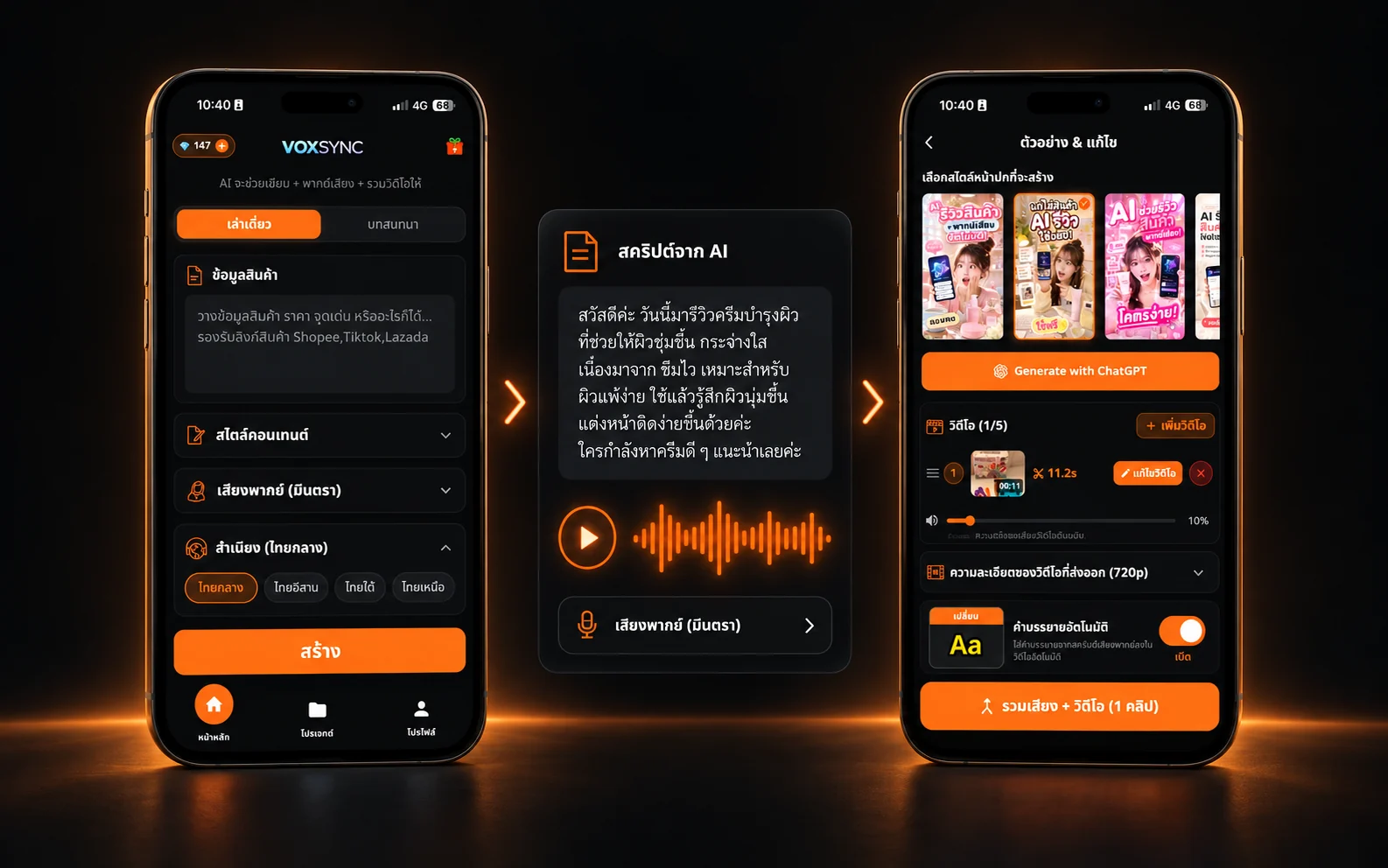
Add product details and choose a content style and voice.
Review your AI script and generate the narration in your style.
Add your footage, turn subtitles on or off, review, and export.
MEET VOXSYNC
Your product clips, with a story to tell.
Meet the app that helps you write review scripts, create AI voiceovers, and bring video and subtitles together. Watch the introduction in Thai, then follow the getting-started guide.
Make an affiliate video with AI (Thai)HOW IT WORKS
One guided workflow for your next review video.
Add product details and choose a content style and voice.
Review your AI script and generate the narration in your style.
Add your footage, turn subtitles on or off, review, and export.
MADE FOR CREATORS
Give your product details a clear story. Choose a style, then review and adjust the script before making your content.
Choose a voice and delivery style that fit your story. Listen and make adjustments before combining your video.
Bring clips and narration together, adjust your subtitle style, and review your video before export.
VOXSYNC LEARN
Practical guides with examples, written in Thai.
ถ่ายคลิปสินค้าไว้แล้ว แต่ยังคิดบทไม่ออกหรือไม่อยากอัดเสียงเอง? ใช้ VoxSync ช่วยเขียนสคริปต์รีวิว พากย์เสียง AI และรวมกับวิดีโอของคุณ พร้อมเลือกเปิดซับอัตโนมัติได้
เริ่มจากข้อมูลสินค้าที่ตรวจสอบได้ แล้วเปลี่ยนร่างจาก AI ให้เป็นเรื่องเล่าที่เข้ากับผู้ชมของคุณ
ปรับข้อความให้เหมาะกับการฟัง ตรวจชื่อเฉพาะและตัวเลข แล้วเลือกเสียงจากตัวอย่างที่ได้ยินจริง
วางภาพตามสิ่งที่พูด ตรวจซับกับเสียงจริง และดูไฟล์ส่งออกบนมือถือก่อนนำไปเผยแพร่
GOOD TO KNOW
Create product review scripts, captions, AI voiceovers, and videos with subtitles. Review and edit your content before exporting.
Yes. Download it from the App Store or Google Play. Check your store listing for current operating system requirements.
AI features use your own Gemini API key, configured in the app. Google’s applicable terms, usage quotas, and charges apply.
Some generation actions use credits based on duration and the terms shown in the app. Check the cost before confirming. Gemini API charges may be separate.
Export your files and publish them yourself. Check AI content accuracy, rights to your media, and the destination platform’s rules first.
Write, narrate, and assemble your content in one mobile app.
AI features use your Gemini API key and credits under the terms shown in the app.